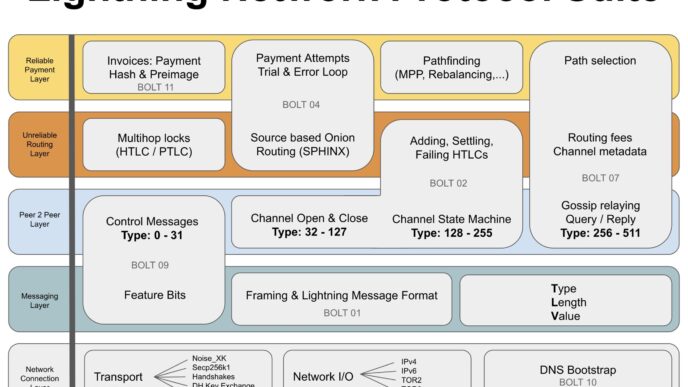



Under the hood, Lightning is a living network of nodes, channels, fees, and liquidity that constantly shifts. If you’re a builder, node operator, analyst, or simply a curious Bitcoiner, Lightning Network Exploration is the skill that turns Lightning from an abstract concept into something you can see, measure, and improve.
Table of Contents
Lightning Network Exploration: Why Visuals Matter
At a high level, the Lightning Network is a graph:
- Nodes = participants (often public nodes; many private nodes/channels won’t show).
- Channels = payment rails between nodes (with capacity + fee policies).
- Liquidity = where sats sit inside a channel (what determines real routability).
- Fees & reliability = what routes get chosen and what fails.
The challenge: Lightning is not fully observable. Channel balances are private; many channels are private; routing decisions happen locally. That’s precisely why Lightning Network Exploration depends on smart visualization—tools that convert partial public data + your node’s private data into a picture you can reason about.
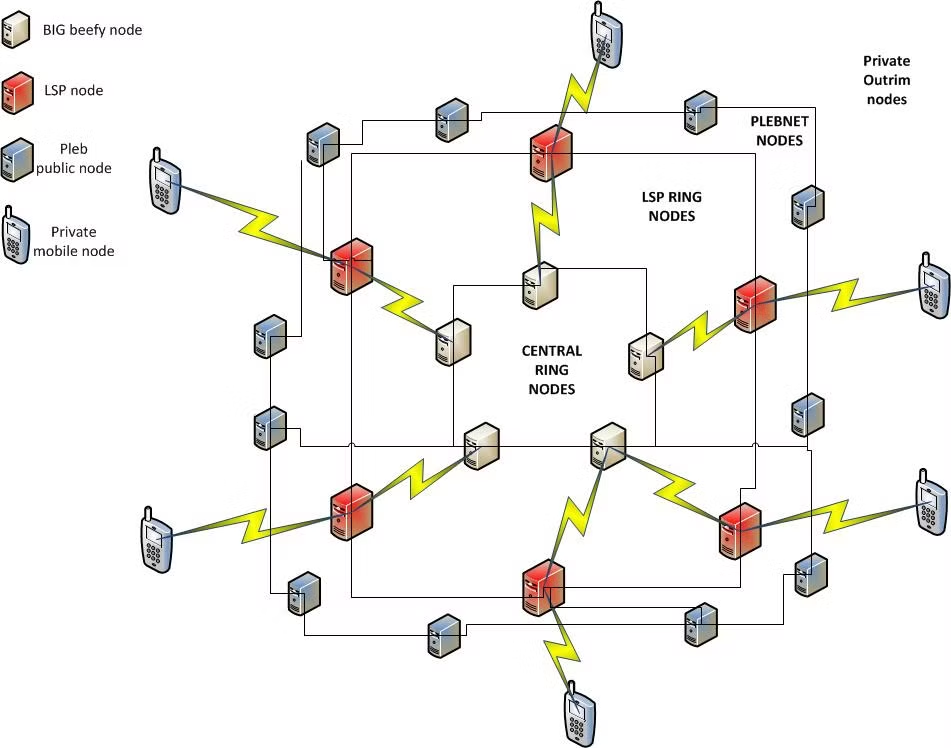
Lightning Network Exploration Tools
mempool.space: The fastest way to “see” Network Health
If you want immediate, dashboard-style Lightning visibility, mempool.space is one of the cleanest entry points.
What you can visualize quickly:
On the Lightning page, you get live-ish network-level snapshots: capacity, node count, channel count, plus summaries like average capacity and average fee rate. These are the kinds of visuals that answer:
- Is the network expanding or contracting?
- Are fees trending up?
- How concentrated is capacity among large routing players?
What to pay attention to (interpretation):
- Network capacity is not payment throughput. It’s a rough proxy for how much capital is committed to channels.
- Average fee rates can be misleading—routing markets are localized. Still, it helps during broad fee regime shifts.
- Rankings like “liquidity” and “connectivity” are useful for learning what “big hubs” look like but don’t automatically tell you who routes best for your use case.
When you want a more “map-like” mental model, mempool.space also provides a dedicated visualization page for nodes/channels maps. This kind of view is powerful for:
- understanding how hub-like the graph is
- spotting highly connected clusters
- explaining Lightning architecture to others (especially non-technical audiences)
Tip: treat topology views as “roads on a map,” not “traffic on roads.” A channel existing doesn’t mean it’s liquid in the direction you need right now.
Amboss: Explorers, Analytics, and “Operator-grade” insight
Amboss is built specifically around Lightning Network Exploration and operational decision-making.
What Amboss adds beyond basic explorers:
The Amboss site positions itself around finding “edge” in capacity, channels, and nodes, and includes tools like a Lightning request decoder and sats tools (useful for builders and analysts). This is more than curiosity—it’s about making decisions:
- Which nodes are “big movers”?
- Where is liquidity concentrating?
- How do I evaluate channels and peers?
Amboss API = Lightning Network Exploration at scale
If you want programmatic exploration (dashboards, research, custom visualizations), Amboss provides a GraphQL API endpoint and documentation. It also has notes you can explore queries via Apollo Studio and export results in CSV/JSON—excellent for analysts building their own visuals.
1ML: The classic directory for Nodes, Channels, and Trends
1ML remains one of the most widely referenced tools for Lightning Network Exploration—especially for browsing nodes, channels, and network statistics.
What 1ML is best at:
- Discovering nodes by location and capacity.
- Browsing newly seen nodes/channels.
- Getting a feel for “who connects to whom” at a high level.
Its homepage surfaces big headline metrics like Network Capacity, plus lists like top locations and top capacity nodes.
Explorers like 1ML show a public view of a network that includes many private channels and unadvertised edges. Use it for orientation and learning—not as an oracle.
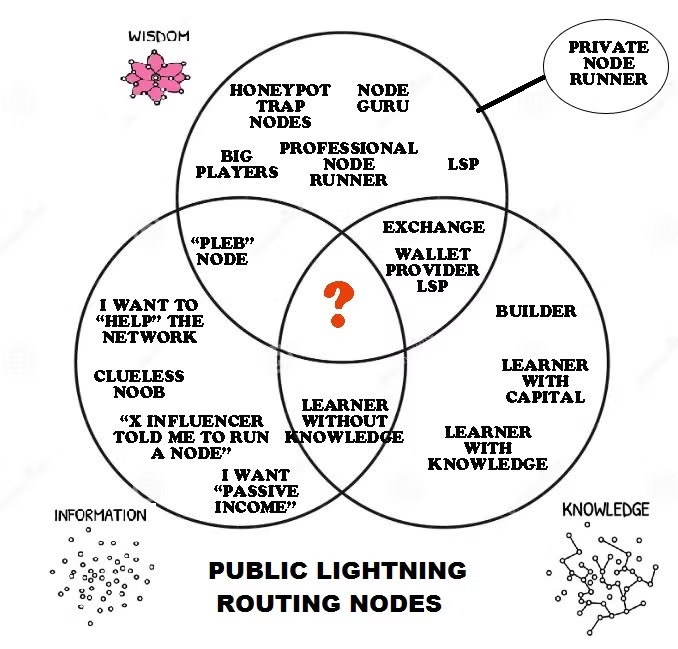
Lightning Network Exploration for Node Operators
Public explorers show the public graph. But the most important Lightning truths—channel balances, failed routes, and local forwarding performance—are inside your node. That’s why serious Lightning Network Exploration includes operator dashboards.
ThunderHub: Node Manager Visualizations
ThunderHub focuses on monitoring and managing a node through a browser UI, and it highlights integrations with ecosystems like BTCPay, RaspiBlitz, Umbrel, and hosted node platforms. This matters because for real exploration, you need:
- Channel balance views
- Node health snapshots
- Operational workflows (open/close channels, manage liquidity, etc.)
Ride The Lightning (RTL): Deeper dashboards + Reports
RTL emphasizes “contextual dashboards,” Lightning transactions, and reporting (exportable activity reports), which is precisely what Lightning Network Exploration looks like when you’re optimizing a node over time.
Lightning Terminal: Liquidity tools + Modern Operator UI
Lightning Terminal is a web UI for node operators with a dashboard, a network explorer, and access to liquidity tooling—explicitly designed to lower the operational barrier.
A key highlight: it connects to nodes securely via Lightning Node Connect (LNC), designed to keep node data private while enabling browser-based management. This is critical because good visualization is worthless if it forces you to leak credentials or sensitive node metadata.
Lightning Network Exploration: Privacy & Safety rules
Exploration can create risk if you overshare:
- Avoid publishing screenshots that reveal balances, channel partners, or operational patterns.
- Be cautious with third-party tools that require credentials.
- Prefer tools that emphasize encrypted connections and privacy-by-design (e.g., LNC’s end-to-end encrypted browser-to-node connection described by Lightning Labs).
If you want a simple workflow that feels like “turning the lights on”:
- Start with network overview on mempool.space Lightning stats to anchor your understanding (capacity/nodes/channels/fees).
- Use a topology visualization (nodes/channels map) to build intuition about graph structure.
- Pick one explorer—Amboss or 1ML—and study a handful of nodes and channels daily for a week.
- If you run a node, install an operator dashboard (ThunderHub, RTL, or Lightning Terminal) and begin tracking channel balance shifts and routing outcomes.
- When you outgrow manual exploration, pull data via the Amboss GraphQL API and build your own custom visuals.